
Operating Systems#
Lecture#
 |
Operating Systems |
Key Concepts#
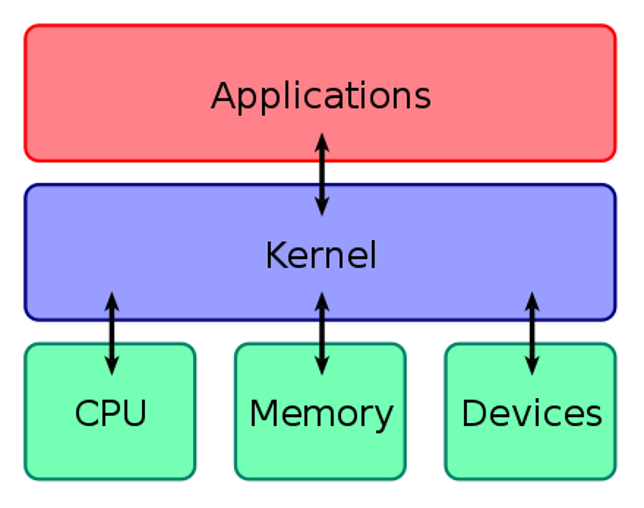
Operating System
“An operating system (OS) is system software that manages computer hardware, software resources, and provides common services for computer programs…For hardware functions such as input and output and memory allocation, the operating system acts as an intermediary between programs and the computer hardware…Operating systems are found on many devices that contain a computer – from cellular phones and video game consoles to web servers and supercomputers” (Wikipedia)
Core OS tasks:
Process management: allocates resources, executes programs, calls processes
Memory management: allocates memory, controls memory hardware access
File system management: interfaces with hardware to transmit, process, and store file system objects
Device management: oversees system calls for efficient device management
Examples of specific operating systems include:
Microsoft Windows
MacOS/iOS
Linux
Android
Chromium
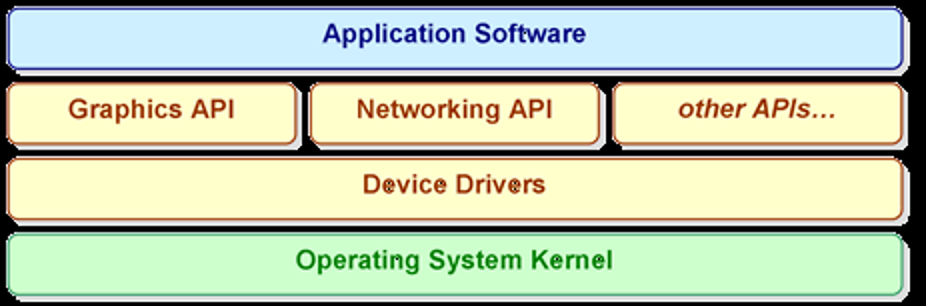
The Kernel
Core of the OS, controls access to computer hardware, performs scheduling tasks
Device Drivers
Software that allows the OS to interface with hardware (graphics cards, printers, network adapters, etc.)
Application Programming Interfaces (APIs) & Application Software
Software that allows the user to interact with the OS
Virtual Memory
An approach to managing memory that provides “an idealized abstraction of the storage resources that are actually avaialble on a given machine” (Abhishek Bhattacharjee and Daniel Lustig, Architectural and Operating System Support for Virtual Memory. Springer, 2017. pp. 1)
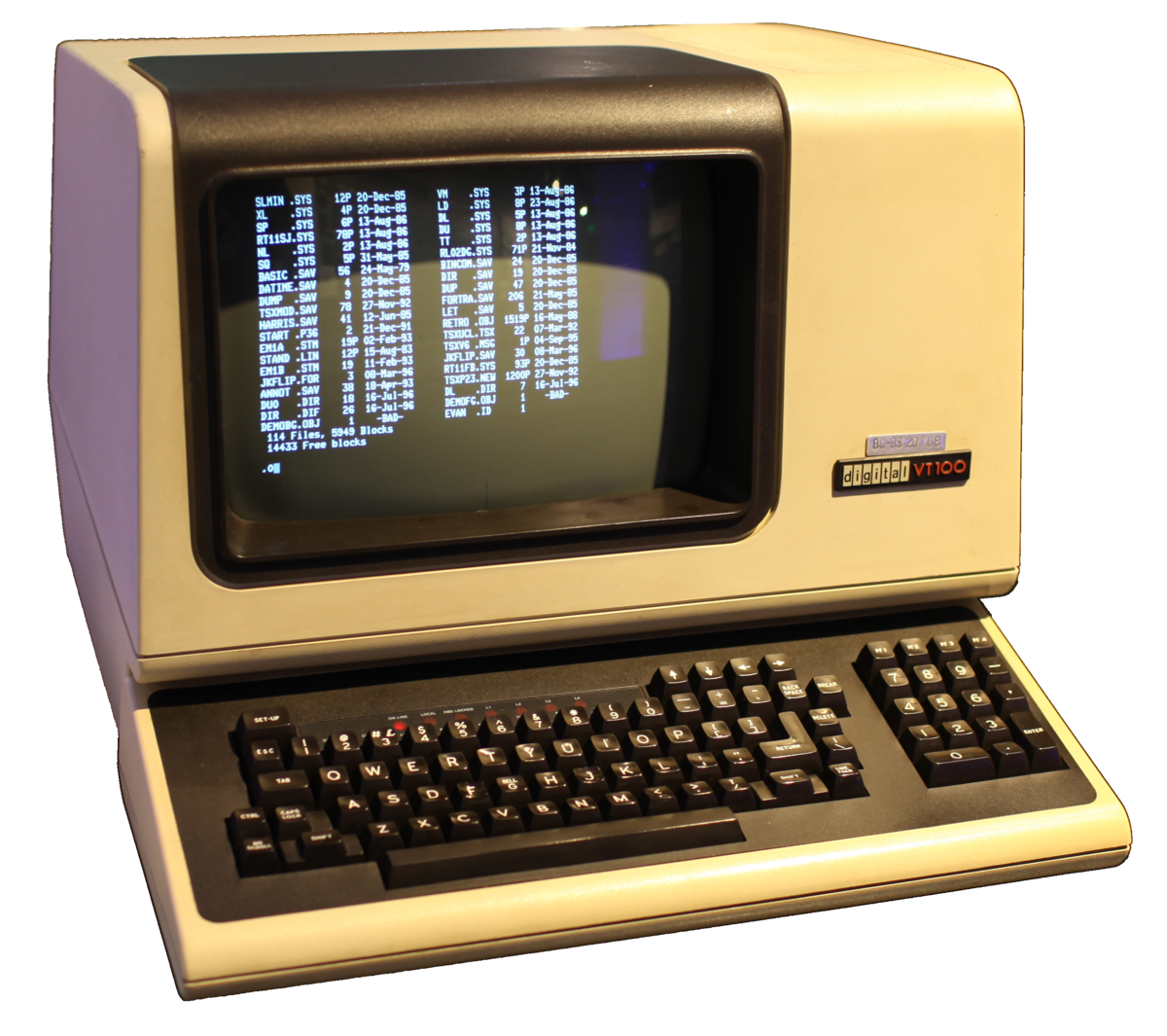
Computer Terminal
“[A] device usually made up of a display unit and a keyboard which allows entry and display of information when on-line to central computer system” (Wikipedia)
Unix
“A family of multitasking, multiuser computer operating systems that derive from the original AT&T Unix, whose development started in 1969 at the Bell Labs research center by Ken Thompson, Dennis Ritchie, and others” (Wikipedia)
Click here to learn more about Unix and its parent organization, The Open Group.
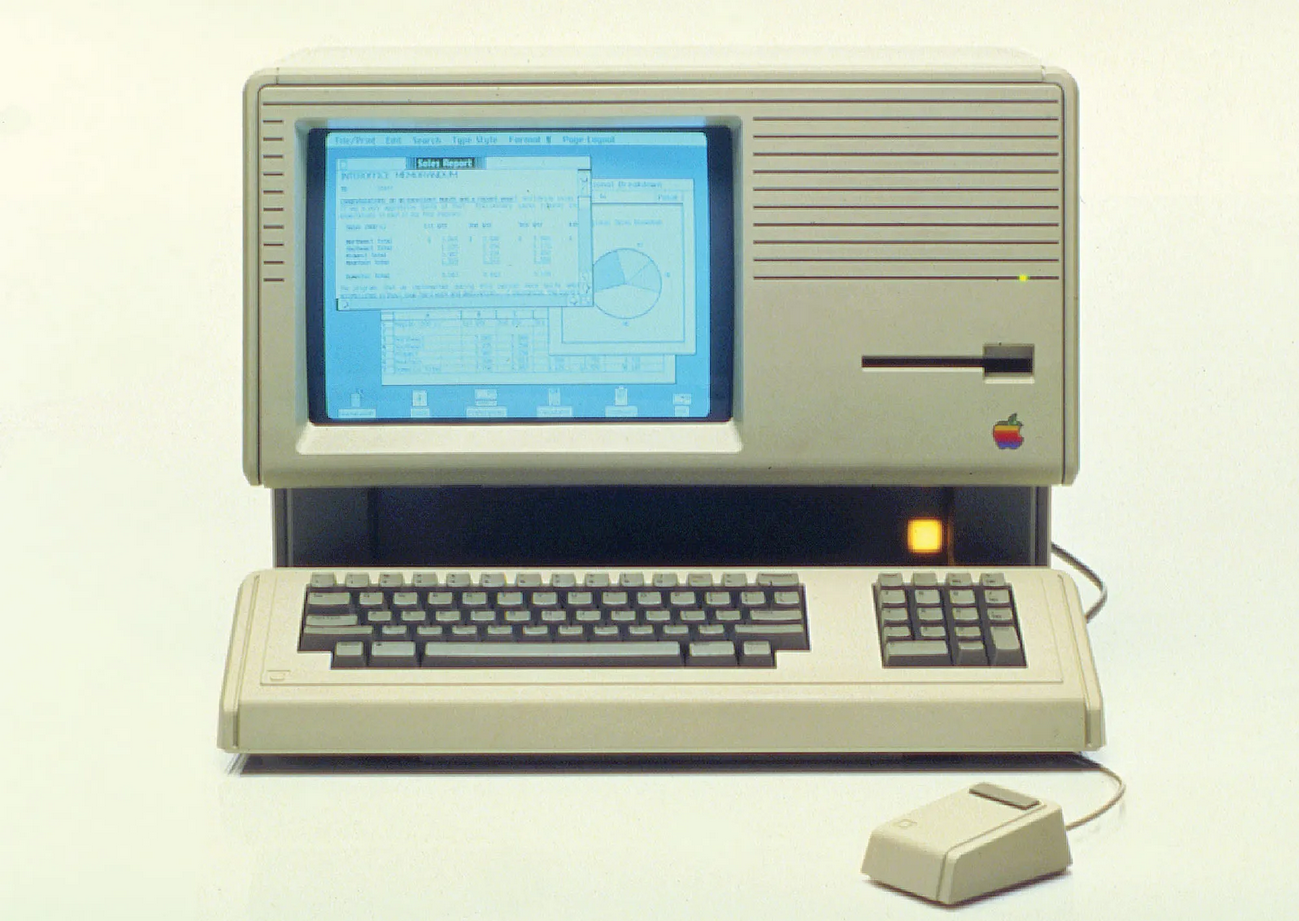
Personal Computer
“A personal computer (PC) is a multi-purpose microcomputer whose size, capabilities, and price make it feasible for individual use. Personal computers are intended to be operated directly by an end user, rather than by a computer expert or technician” (Wikipedia)
Comprehension Check#
 |
OS Comprehension Check |
Application#
Q1a: Use the links provided below (or other guides as needed) to find what operating system your computer is running, and if applicable what OS version.
Q1b: Use the links provided below (or other documentation as needed) to learn more about the OS or OS version update your system is running.
Alternatively, head to a trade publication like CNET or PCMag to learn more about a specific future OS update.
Specific questions to consider:
Why was this update developed or released? What issues what it designed to address? Or, what features was it designed to add?
Alternatively, why is this update being developed/released? What issues will it address, or what features will it add?
Are there hardware restrictions for this update? That is, does installing this update require specific hardware? What can you tell about those specifications?
Alternatively, will there be hardware restrictions for this update? Is it expected that being able to install this update will require specific hardware?
Additional Resources
Interested in learning more about operating systems? A few places to start:
Tim Bower, Operating Systems Study Guide (K-State Polytechnic, 2009-2015)
Remzi Arpaci-Dusseau and Andrea Arpaci-Dusseau, Operating Systems: Three Easy Pieces (Arpaci-Dusseau Books, 2018)
Naresh Chauhan, Principles of Operating Systems (Oxford University Press, 2014). Link to access through Notre Dame Libraries