
Your Second Webpage!#
Let’s take a look at a well-formed HTML document. Open this chapter’s index.html sample file in a web browser.
File Downloads
On the surface level, it looks the same as your hello-world.html file.
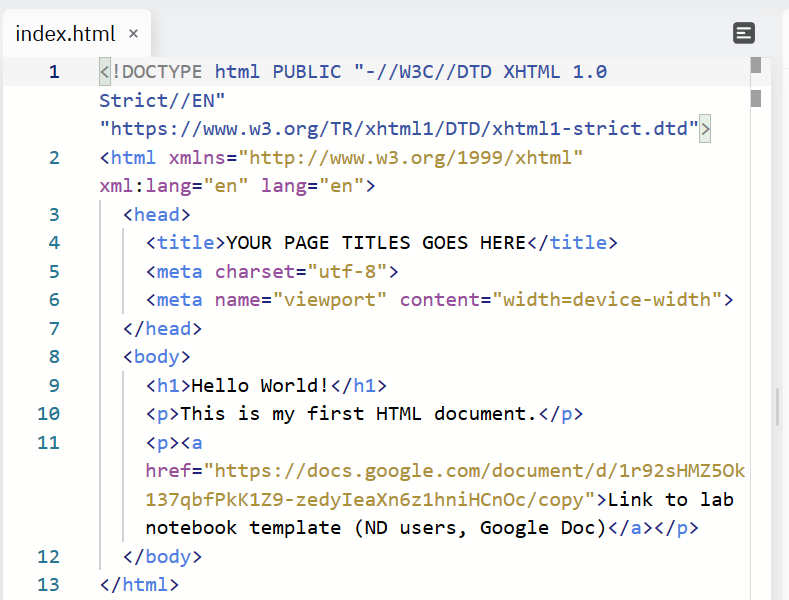
But open it in a text editor and you’ll see lots of technical information.
Comments are indicated by <!-- and --> and are written for the user (not the computer). These special start and end tags tell the computer to ignore what follows. Comments are used to include instructions and explanations about the code in a human-readable form. You can use comments throughout your code to leave notes for yourself or describe what the code is doing (or what you want it to do).
A few other pieces of information that make this valid, well-formed HTML:
The
<!DOCTYPEdeclaration tells the computer this is an HTML documentThe opening
<html>tag marks the start of the page/documentWe also have additional information like XHTML specification, namespace, and document language (
en)