
Adding Content#
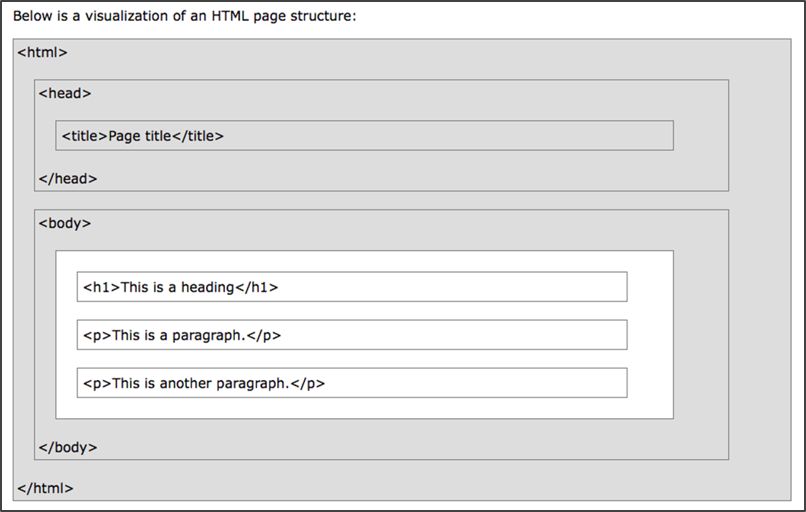
Now that we have a template for a valid, well-formed HTML page, we can start adding content to the page. Between the <head> tags you will see a set of <title> tags. The <head> of the document is reserved for metadata, but also includes the <title> of the page which is represented in the tabs in some web browsers.
  <head>
    <title>YOUR PAGE TITLES GOES HERE</title>
    <meta charset="utf-8">
    <meta name="viewport" content="width=device-width">
  </head>
Replace YOUR PAGE TITLE GOES HERE between the <title> tags to give your document a new title. Open the file in a web browser to see the updated page.
Now, let’s modify the body. This is where the content that we will see in the web browser is entered. HTML uses a number of different formatting tags. You can use the W3Schools’s “HTML Reference” to browse through some of the different options.
For now, we’ll use <h1> (heading 1) and <p> (paragraph). After the first <body> tag, place a <h1> tag on a new line.
A couple things to notice:
The line is indented. This isn’t a requirement of HTML, but it is a convention that is used by coders to write cleaner code. The indentation allows you to easily determine what tags are nested within each other. For example, the
<title>and<meta>tags are nested within the<head>tags. Now, our<h1>is nested within the<body>. The use of the tabs simply makes the code easier for us to read, but the computer doesn’t care (with Python the indentation is important and will cause errors if the indents do not appear in the right place).
We’ll want to complete the <h1> with a closing </h1> tag. The closing tag is not required for all HTML tags, but it is good practice to close all of your tags. This is a good example. Without a closing tag, everything that follows will be formatted as a <h1>. Some IDEs include an auto-complete function to help you prevent errors in your code and create valid documents.
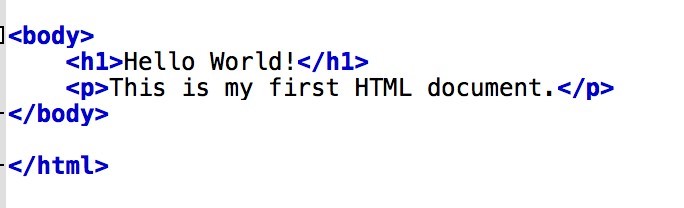
Go ahead and enter some content between the <h1> and </h1> tags. <h1> is preformatted as first level heading text. We’ll see how it looks in a minute.
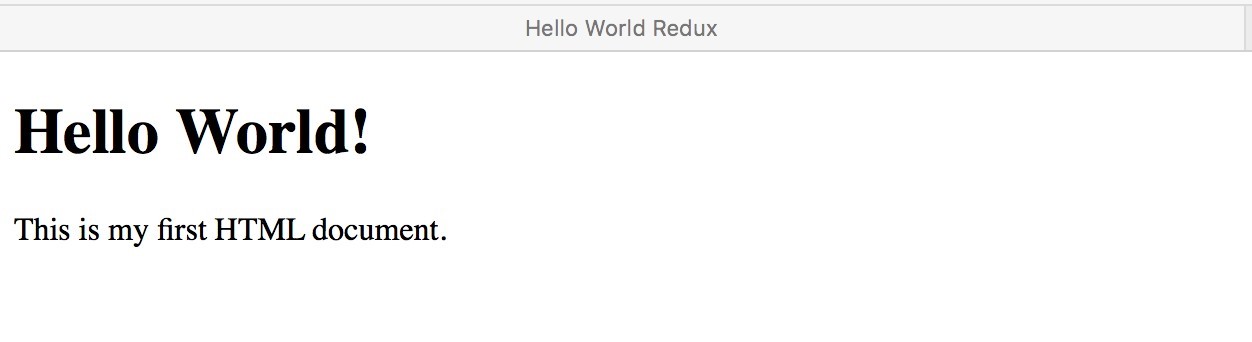
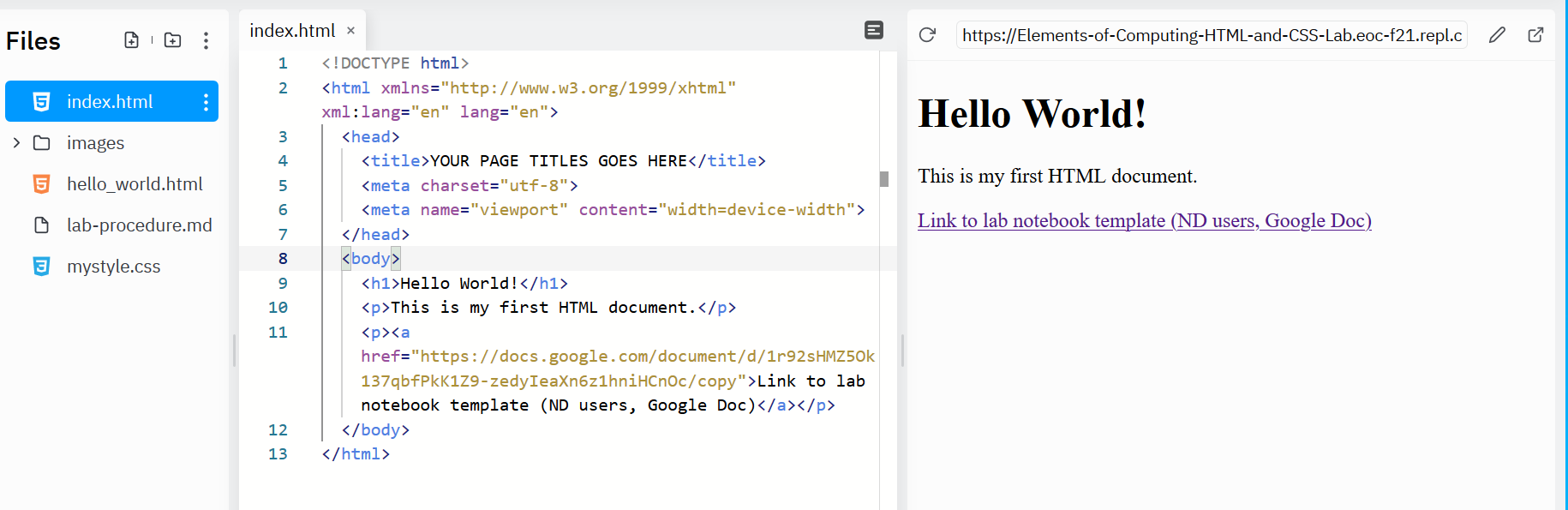
Next add a <p> paragraph tag (and closing </p> tag).
Warning
Very few desktop text editors auto-save. Be sure to save regularly!
Viewing Your Webpage
Save the .html file and open it in a web browser to see your updated work.
Why
index.html?index.htmlis the name of the default landing page for websites. The web server (the computer hosing the site) will automatically recognizeindex.htmlas the first page or the home page of a website. Some servers use other variations likehome.html, but we’ll useindex.html.