

.explode()#
In a situation where you have a column with multiple values in the same row (i.e. list in a single cell), .explode() creates a unique index-row value for each combination.
# general syntax
DataFrame.explode(column)
Parameters:
columnrequiredColumn(s) that will be exploded. Format will be string or tuple.
ignore_indexoptionalDefault is
False; if set toTrue, resulting index will be default0, 1, 2, etc
We’ll start with a DataFrame.
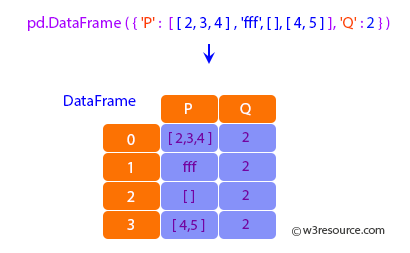
import pandas as pd, numpy as np # import statements
df = pd.DataFrame({'P': [[2, 3, 4], 'fff', [], [4, 5]], 'Q': 2}) # create df
df # show output
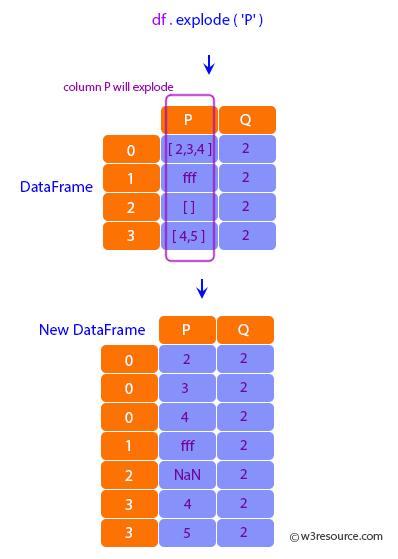
In this .explode() example…
Values in
Pcolumn will become unique index-value combinationsQvalues will remain unchanged (may be duplicated as new rows get added)
df.explode('P') # explode
dfExplode = df.explode('P') # assign to new df
dfExplode # show output